
Conversation records
Start with the summary, then check the transcript where available. Review the representative, date and duration alongside the visitor's questions when a detail matters.
ASK THE AGENT
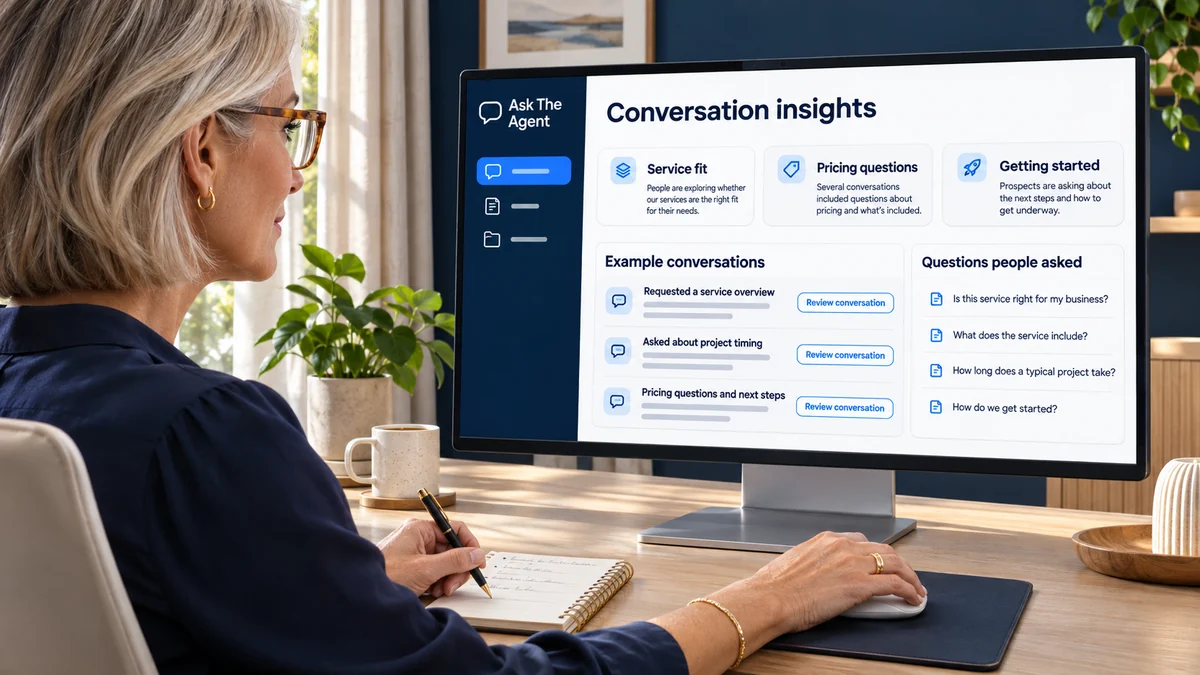
Your dashboard gives you a place to return after people engage with your representative. It helps you review the conversations, activity and interest that your public presence is creating.
Review summaries and transcripts where available for the context behind an enquiry.
Ask your included reporting assistant about conversation themes and possible next steps.
Use your judgment to prepare a relevant personal response or resource.
YOUR PRESENCE, CONNECTED
RETURN TO WHAT PEOPLE ASKED
Review conversation summaries, transcripts where available, visitor-provided details, activity and talk-time usage in your dashboard.
Start with the summary, then check the transcript where available. Review the representative, date and duration alongside the visitor's questions when a detail matters.
Review any name, email address or phone number the visitor chose to share alongside their enquiry, then prepare a relevant personal response.
Your account includes a conversational AI reporting assistant. Ask about available summaries, conversation themes and possible next steps; check the records when details matter and choose your own response.
PREPARE A RELEVANT FOLLOW-UP
When a visitor shares contact details, use the conversation context to prepare a personal response to their question. Focus on what they asked and choose an answer, clarification or resource that fits.

USE WHAT YOU LEARN
Use the dashboard to spot recurring questions and decide which information, resources or next steps could be clearer for future visitors.
Review each representative by its audience, role and separate knowledge. Recurring questions may suggest a clearer biography or service explanation, a more relevant suggested question or a resource that belongs on the public page. You choose what to update and the next step visitors should see.
Review conversation counts and talk-time for each representative to see where engagement is happening. Look at conversation duration alongside the questions asked: a longer conversation may need more context, while a short exchange may still contain a useful enquiry. The usage view helps you understand activity; the conversation itself helps you judge what matters.
Keep useful conversations in view with your notification preferences. Choose conversation email alerts or a daily-digest option for your representative, and review notification history alongside your conversation reports. Use these updates to decide what deserves a closer look and where your own follow-up would be useful.
BUILT AROUND YOU